Appointment Scheduling Software for Language Teachers: How to Choose the Right Fit
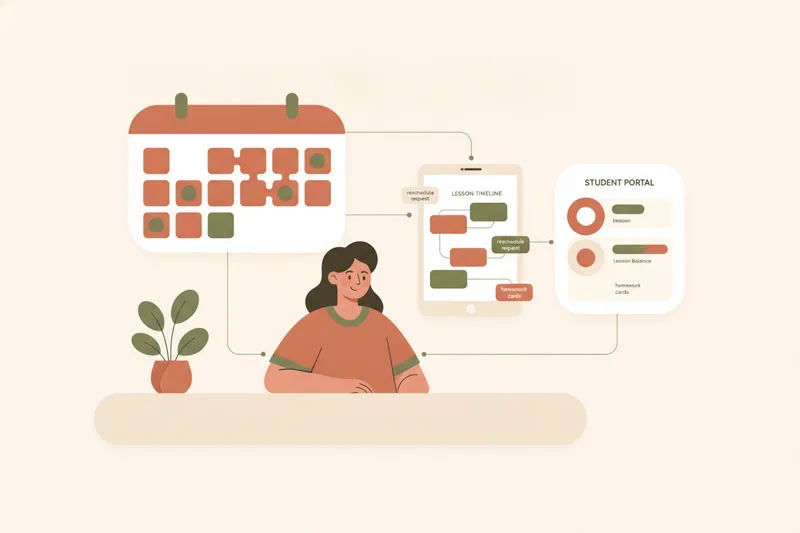
The right appointment scheduling software for a language teacher is the one that still works once a student has paid for ten lessons instead of booking one meeting. Mainstream tools like Calendly, Setmore, or Square handle the calendar side of that well — booking pages, reminders, recurring slots — but none of them were built to show a teacher how many lessons a student has left, keep homework attached to the session it belongs to, or route a reschedule the way a paid-lesson relationship needs. This guide compares five commonly recommended tools against that specific job, then looks at where a teaching-specific platform becomes the better fit. The right appointment scheduling software choice depends less on general booking polish and more on whether it understands lesson packages, reschedules, and materials tied to a specific session.
Quick picks: which scheduling tool fits which teaching need
Before the deeper comparison, here's how the five most commonly recommended tools map onto the three kinds of teaching workload covered below.
- Calendly — the pick for a solo tutor who wants simple, reschedule-friendly booking: its calendar sync and meeting-prep flow are built around one person's availability, which suits one-to-one lesson slots well.
- SimplyBook.me — the pick for a teacher who wants a customizable booking page without a big budget: it's positioned as an affordable, flexible way to run a small booking site.
- Setmore Appointments — the pick for a teacher juggling several recurring students: it's built around repeat bookings, which matters when the same students return week after week.
- Square — the pick for a teacher already running other parts of their work through Square: the convenience is mostly that it sits inside a stack already in use, not anything lesson-specific.
- Appointy — the pick for a group or exam-prep teacher who needs broader scheduling automation: it's designed for multi-staff, business-level scheduling, which scales better than a single calendar once there are several class times to manage.
None of the five, on its own, tracks a lesson package or ties homework to a specific booking — that gap is the subject of the sections below.
How we evaluated these tools against recurring-lesson needs
Comparing scheduling tools for a one-off meeting is mostly about calendar sync and reminders. Comparing them for a recurring paid-lesson relationship needs four criteria instead.
Reschedule handling asks whether a change goes through a reschedule request — a student asking to move a booked lesson, which the teacher then approves — or whether it just moves the slot unilaterally. A teaching relationship usually needs a record of who asked and when, especially if a cancellation window affects what's owed.
Calendar sync covers how reliably a teacher's and a student's calendars agree on a lesson's current time, including how a repeating series behaves when one occurrence moves. Some tools let a teacher choose whether an edit covers just one lesson, that lesson and everything after it, or the whole series — a distinction that matters once a series runs for months.
Package or balance tracking capability is whether the tool can hold a lesson's price and currency and show what a student has paid for, used, and has left, the way a lesson package needs, rather than treating each booking as a one-off charge.
Materials attachment capability is whether a file or link can be tied to the specific lesson it belongs to, so it shows up in the right place automatically instead of being re-sent by email or chat.
The five picks above are judged against these four points, not against generic star ratings.
Side-by-side: booking, reschedules, and calendar sync
On booking and calendar basics, most of the five perform similarly, with real differences showing up once lessons repeat.
Acuity Scheduling, Setmore Appointments, Square, and YouCanBookMe are commonly grouped together as general-purpose appointment schedulers and booking apps, and all offer an online booking page where a student picks a time inside hours a teacher opens up. Acuity states it supports subscriptions and session packages, letting a client buy a block of sessions and draw down credits over time — closer to how a lesson package works than a plain per-slot charge. SimplyBook.me is pitched as a good option for a simple, customizable booking website at a low cost, which suits a teacher who wants a branded page without building one from scratch. Calendly ties together scheduling, meeting prep, and related admin around a meeting, which works well for a tutor whose main need is a clean booking page and automated reminders rather than package tracking. Appointy is built for businesses automating bookings across staff, which suits a teacher scaling into group classes more than a solo practice.
Automated reminders are close to universal across these tools and rarely decide the choice on their own.
Recurring appointments are supported by most of the five, but the useful question is what happens when one occurrence needs to move: a workflow built for lesson-based teaching usually routes that change through a reschedule request the teacher accepts, which keeps it linked to the student and the rest of the series rather than just relocating a slot. For a teacher who relies on a subscribed calendar feed in Google, Apple, or Outlook rather than booking inside the tool itself, it's worth knowing that these feeds generally aren't live: they tend to refresh on a delay, so a reschedule can take a while to show up there.
Client self-booking — letting a student pick their own slot inside the hours a teacher allows — is a feature all five share, but how finely it can be scoped varies. The more useful setups let a teacher set the rules once — latest time to reschedule or cancel without penalty, default lesson length, whether booking without a prepaid lesson is allowed — and apply them across every student automatically, rather than configuring each booking by hand.
Where generic schedulers run out of road: packages, balances, and homework
Even the strongest of the five above stops at the calendar. Three gaps show up once a teacher is running recurring paid lessons rather than one-off meetings.
The first is lesson package balance tracking. A booking calendar can tell you a slot is filled; it can't tell you that a student bought ten lessons, has used six, and is due to run out in three weeks. Platforms built specifically for teaching usually treat a booking as something that reserves one lesson from a student's balance, and some hold that reservation until the lesson is actually marked as taught — so a student can be temporarily unable to book more, even though they've paid, until the teacher clears a backlog of past lessons.
The second is homework and materials linked to a session. A generic scheduler has nowhere to attach a worksheet to Tuesday's 5pm lesson specifically; it ends up in a separate email or shared drive, disconnected from the booking. Teaching-specific tools tend to group a student's assignments by status — to do, under review, reviewed, done — with due dates, so a teacher isn't chasing homework from memory.
The third is messaging-app booking. Some teaching-specific platforms let a student request a slot or check a balance from a messaging app they already use, rather than opening a separate student portal — a dedicated view of their own schedule, materials, and balance — every time. It's a smaller gap than the first two, but real for students who live in a chat app.
None of this makes Calendly or Setmore the wrong tool for a teacher with simple, pay-as-you-go students. It starts to matter once lessons are sold in packages and materials need to stay attached to a specific session.
Free vs paid tiers: what tutors actually lose on the free plan
A free plan tier is usually enough to try booking and reminders, but two things tend to break first for a tutor with recurring students rather than occasional meetings.
The first is a cap on active clients or staff. Free and entry plans across this category commonly limit how many people can be on the books at once; cross that line and new bookings for new students may simply stop until the teacher upgrades or removes someone. On a teaching-specific tool, running past that limit doesn't delete anything already recorded — it locks new scheduling for new students until the teacher archives someone or moves to a paid plan.
The second is how the plan is priced. Not every tool prices by student count: some teaching platforms appear to charge based on the number of tutors or staff using the account rather than how many students are on it, which, where that's the case, changes the maths for a teacher with many students but no assistants. Before choosing a plan, check which of the two — people managing the account, or people being taught — actually drives the price.
Which tool suits your teaching setup
A solo tutor teaching one-to-one, pay-as-you-go lessons is usually well served by a straightforward booking tool: Calendly or SimplyBook.me cover the booking page, reminders, and calendar sync this setup needs, and the absence of package tracking matters less when each lesson is billed and paid separately.
A teacher running small groups has a different problem: the same slot now holds several students, often with shared material and shared homework across the group. Setmore's or Appointy's repeat-booking and multi-staff scheduling cover the calendar side of that, but neither was built to show which group members have finished this week's assignment — that still needs tracking by hand or a separate system.
An exam-prep instructor usually sells lessons in packages tied to a test date, with parents or students expecting visible progress. This is where calendar-only tools show their limits most clearly: a booking page can schedule the next session, but it has no view of how many sessions remain before the exam, or what was covered and assigned along the way. For this profile, the criteria that matter most — package tracking, reschedule handling, and materials tied to a session — tend to point away from a general scheduler.
Where each pick still falls short for lesson-based teaching
Each of the five quick picks above has a specific ceiling worth knowing before committing to it.
Calendly tracks meeting slots well but has no concept of a lesson balance — a student can book right through their last paid lesson with nothing flagging it. SimplyBook.me's customization is strong, but package tracking depends on routing payments through its own checkout, which doesn't fit a teacher who gets paid directly outside the platform. Setmore repeats a booking reliably, yet has nothing like a running list of lessons taught but not yet confirmed, filterable by student. Square ties scheduling closely to its payment and retail tools, useful mainly if a teacher is already billing lessons that way. Appointy automates staff-level scheduling well but, like the others, has no per-student homework or materials view — that stays a manual add-on across all five.
If the bulk of your work is single lessons billed one at a time, Calendly, Setmore, or whichever of the five fits your existing stack is a reasonable, low-friction choice. But once lessons are sold in packages, reschedules need to stay linked to a student's balance, and materials need to stay attached to the session they were taught in, it's worth comparing tools built specifically for that workflow rather than stretching a general-purpose scheduler to cover it. Umvelo is one example of that category: a scheduling workspace built around lesson packages, reschedules, and session-linked materials for independent teachers, rather than generic meeting slots.