How to Build a Recurring Class Schedule for Teaching Multiple Students (2026)
A class schedule maker built for plotting a personal weekly grid won't hold up once you're teaching recurring lessons to several students, each with their own lesson package balance and their own reschedule requests. The short answer: match the tool to the job. A one-off grid works for a timetable you build once and leave alone; teaching needs a system where a repeating lesson keeps its link to the right student, where a reschedule updates both sides at once, and where the materials and balance tied to a lesson follow it wherever it moves. Here's what separates the two, and where the generic version runs out of road.
What a class schedule maker is built for — and where teaching outgrows it
A class schedule maker is a tool for laying out blocks of time into a grid — labeling classes, color-coding them, and usually exporting or sharing the result. It was built first for a single person's own timetable: a student plotting a semester of college courses, not a teacher running recurring lessons for other people.
That's clear in how the free versions of the category work. Doodle lets you create a college schedule online at no cost. Charlie Coleman Schedule Maker is built around adding or editing each class with its name, a short name, a color and a registration number. Piktochart treats it as a design task, guiding you from a blank idea through to a visual you can share or download. All three solve the same problem well: build a grid of your own classes once, make it presentable, export it.
Personal timetables vs. recurring teaching schedules
A personal timetable is static — set once a semester, tweaked occasionally. A teaching schedule isn't. Lessons repeat on a rule — daily, weekly, every other week, monthly, until the end of the month, or on chosen dates, running until a set end date or a fixed number of repeats — and each repeat belongs to a specific student, not just a labeled course block. That student may also be working through a lesson package: a block of several lessons bought at once, often at a discount, with a balance that has to track against every booking. A static grid has nothing to say about any of that, and nothing to say about conflicts either — a free class schedule maker plots blocks, it doesn't flag it when a new booking collides with one already on the calendar.
Teaching also attaches things to a lesson that a personal timetable never needs to hold: the handout, link or recording for that specific session, visible only to the student it belongs to. A color-coded square on a grid can't carry that. A lesson in a teaching schedule has to.
The principles that should decide your scheduling tool
Judge any scheduling tool for teaching against four things.
Calendar sync that actually goes two ways. Booking or moving a lesson should update your calendar and the student's calendar at the same moment, in both places — not leave you to message them separately. That's different from the read-only subscription link many tools offer into Google, Apple or Outlook calendars: handy for checking your schedule on your phone, but any real change still has to be made in the scheduling tool itself, not in the external calendar. Genuine two-way sync means a reschedule you make shows up for the student right away, and the lesson keeps its link to the right student, materials and spot in its repeating series.
A rescheduling flow that doesn't start from scratch. Reschedule requests are routine once you're teaching recurring lessons, not an exception. What matters is whether moving a lesson keeps the student, the package deduction and the attached materials intact, rather than forcing you to re-enter them.
Per-student visibility. A student should see their own lessons in their own time zone and nothing that belongs to anyone else — which also means you, the teacher, need the time zone setting checked correctly from the start, since the whole schedule reads against it. A shared spreadsheet or a public calendar link can't offer that kind of boundary.
Overlap checking, so the tool stops a double-booking before it happens rather than leaving you to notice once two students show up for the same slot. And look at how booking rules are organized — working hours should frame your default availability without blocking a genuinely odd-hour request, and access to a given lesson slot should be something you control, not a global setting.
Where free, generic schedule makers fall short for tutors
A free class schedule maker is a template: you fill it in once, and any change afterward is a manual edit, not an update to a balance living anywhere else. That's fine until a student buys ten lessons and the grid has no concept of how many are left — which is why many tutors end up tracking that separately, with reschedule requests in one chat thread and materials sent through another. Nothing reconciles on its own.
A booking-window approach flips that. The teacher opens a window of free time, and the student picks a slot inside it directly: a 9am–1pm window with hour-long lessons offers four start times to choose from, with no back-and-forth over "are you free at…". The student, in turn, sees their own schedule by week or month in their own time zone, alongside the teacher's open windows — not a screenshot of someone else's grid.
Exam-prep instructors and small-group teachers hit this ceiling earlier than one-to-one tutors do, because they're running several students or groups against overlapping recurring slots, each with a different package balance and different materials for their level. A spreadsheet row per student is manageable at five rows. At fifteen, with a couple of lessons burned through a student's own no-show and a package payment nobody's logged yet, the manual template that worked fine for a personal timetable starts costing time instead of saving it.
Choosing an approach: from a plain calendar to a teaching workspace
The trigger for moving past spreadsheets isn't a number of students — it's whether you're reconciling the same reschedule or payment across three different places (calendar, balance sheet, chat) every time it happens. Once that's happening more than once or twice a week, it's worth looking at an approach built around teaching rather than around a grid.
What that looks like in practice: a calendar that shows lessons, open booking windows, tasks and notes together, in your own time zone, instead of separate tools for each. A booking that appears at once in both the teacher's calendar and the student's own view of their schedule, so neither side is waiting on the other to notice a change. And creating a lesson from an open calendar slot that fills in that student's usual duration and price automatically, rather than making you retype the same details every time you book them.
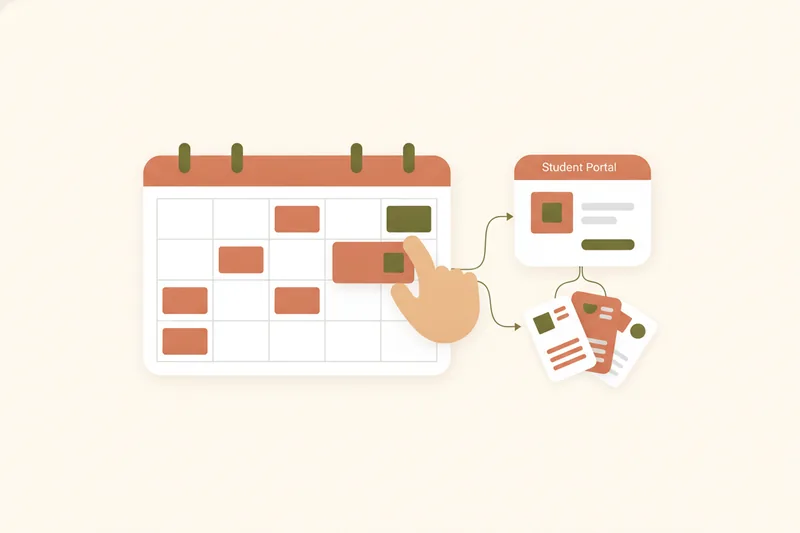
The part that actually solves the original problem, though, is connection rather than any single feature: the same lesson entry that sits on the calendar also carries the package deduction and the materials for that session, so moving the lesson, confirming a payment, or attaching a new worksheet doesn't mean updating three separate records by hand.
If you're ready to move past spreadsheets, Umvelo brings scheduling, reschedules, lesson package balances and materials into one calm workspace built specifically for language tutors and teachers — worth a look if that mix is what's been missing from yours.