Lesson Planning Software for Language Tutors: 4 Picks by Teaching Need
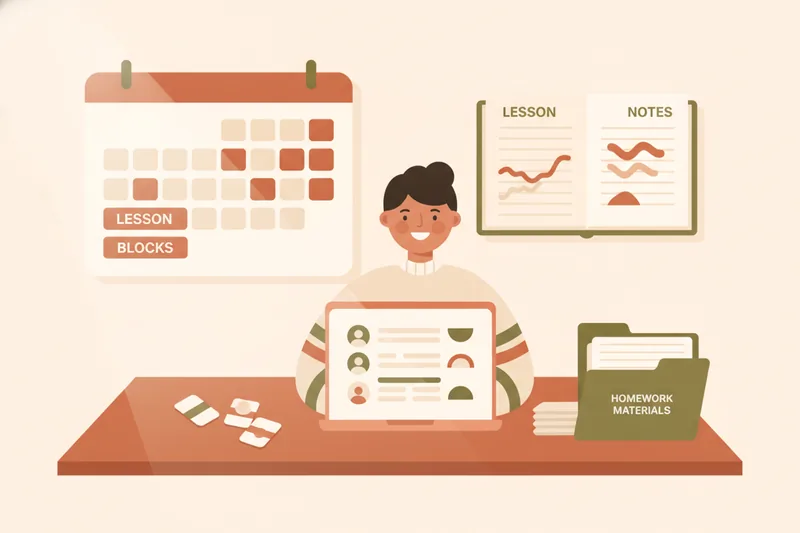
A language tutor choosing lesson planning software for teachers should judge it by one thing a classroom feature list won't show: how well it links scheduling, materials, and student access to each lesson. That's the deciding factor for one-to-one and small-group teaching, even though most "top lesson planner" roundups are built for K-12 classrooms, where the hard problem is curriculum standards and gradebooks instead. For one-to-one and small-group teaching, the hard problem is different: keeping a reschedule from losing track of what the student already covered, attaching the right homework to the right lesson, and letting a student see their own schedule and balance without another email thread. This guide picks one tool for each of those needs, explains how the picks were judged, and is honest about where each one runs out of road once you're teaching real students rather than a classroom.
The Quick Pick for Each Common Tutoring Need
Planboard is the pick for a tutor who wants a genuinely free planner. Made by Chalk, it's a standalone lesson-planning and assessment tool that's free for individual teachers, which matters if you're a solo tutor who doesn't want a subscription before you've even found your second student. It picked up this slot because cost, not feature depth, is the deciding factor for a lot of starting tutors.
Chalk is the pick for a tutor who schedules tightly and reschedules often. It's often described as bringing curriculum management and scheduling together rather than treating scheduling as an afterthought, which is the dimension that matters most when a missed lesson needs to move without losing the thread of what comes next.
EduPlanner is the pick for a tutor who attaches homework and materials to each lesson. It's a planning tool built specifically for teachers with a broad set of education-focused features, which suits someone running several students or small groups who needs each lesson's materials to stay distinct from the last.
For a tutor who wants students to find their own files and updates without being chased for it, Google Classroom is the pick. It's one of the most familiar planning-adjacent apps for teachers precisely because students already recognize the interface, which lowers the friction of giving a student self-serve access to what's coming up.
Features to Check Before You Choose, for Tutoring Not Classrooms
Before comparing tools, check four things a classroom feature list won't surface. First, how reschedule handling actually works: does moving a lesson keep a record of what was taught, or does it just shuffle a calendar entry and leave you to remember the rest. Second, whether materials and homework attach to a specific lesson or sit in one undifferentiated folder — tutoring students need yesterday's homework linked to yesterday's lesson, not buried in a shared drive where it's indistinguishable from everything else you've ever uploaded.
Third, student-facing access: can a student log in and see their own schedule and files without needing your inbox as the interface, and does that view stay limited to what's actually theirs rather than every lesson you've ever planned for anyone.
Fourth, and easy to overlook, is balance tracking as a ledger rather than a payment system. Tutors often sell lesson packages — several lessons paid for upfront — and a tool that only counts generic "sessions" breaks down once packages, not single bookings, are what you're actually tracking. A ledger that shows what's been paid, what's been planned, and what's still owed is doing a different job from a payment processor, and it's worth confirming which one a tool actually does before assuming it covers both. None of the four picks above were built to do the ledger part; that gap shows up again in the limits section below.
How These Tools Were Evaluated
The picks above were judged against four criteria: how well reschedules are handled without losing lesson history, whether materials and homework attach to individual lessons, whether students get their own self-serve access, and how realistic each tool is to run as a single tutor or small operation rather than a school district.
That last point is why generic classroom tools were weighed differently here than in a K-12 roundup of lesson planning software for teachers. A tool built for a teacher managing thirty students across one curriculum, with district-level rollout and standards alignment, isn't solving the same problem as a tutor juggling six students on six different schedules. Features like gradebook integration or multi-classroom administration score high in a K-12 context and don't move the needle for tutoring at all, so they weren't treated as strengths here. What mattered instead was fit for a practice built around individual students: flexible scheduling, materials tied to a person rather than a class, and enough simplicity that setup doesn't become its own job.
Side-by-Side: How the Options Stack Up on Tutor Needs
On scheduling, by the criteria above, Chalk comes out strongest of the four, built around curriculum management and scheduling as one function rather than scheduling bolted onto a note-taking app. Planboard, coming from the same company, carries some of that scheduling sensibility into its free tier, though as a standalone product aimed at individual teachers it's lighter. Google Classroom's scheduling is really assignment-due-date scheduling, not lesson-slot scheduling, which matters if your week is built around booked time rather than async assignments.
On materials and homework, EduPlanner is built specifically for teachers with features aimed at educational planning broadly, which gives it room to keep lesson content organized per student. Google Classroom's strength here is the reverse: it's less about building the lesson and more about distributing what you've already built, in a format students already know how to open.
On student-facing access, Google Classroom's familiarity is its main asset — most students, including younger exam-prep candidates, have used it before, so there's no onboarding curve on their side. EduPlanner and Chalk are teacher-facing tools first, with student access as a secondary layer. Planboard's free tier is aimed squarely at the individual teacher rather than at giving students their own login.
On pricing, the only figure that's confirmable here is Planboard's: it's free for individual teachers. Chalk and EduPlanner are commercial products built for schools as well as individual teachers, and their published plans change often enough that quoting a number here would likely be stale by the time you read it. The more reliable approach is to settle the scheduling, materials, and access questions first, then check the live pricing page for whichever tool actually fits before committing to it.
Which Tool Fits Which Kind of Tutor
A solo tutor running one-to-one lessons without a lot of internal structure is usually best served by Planboard if cost is the constraint, or Chalk if the real pain point is reschedules eating into a tight weekly calendar. Either keeps the overhead low for someone managing their own bookings without staff or co-teachers, and neither asks for a commitment before you've built up a client list.
A teacher running small groups needs materials that stay attached to a specific session and distinct from the last one, since a missed homework hand-off is more visible when five students are comparing notes with each other. EduPlanner's education-specific feature set fits that pattern better than a general scheduling tool, with Google Classroom often layered on top purely for the student-facing side — letting EduPlanner hold the lesson structure while Classroom handles the hand-off.
An exam-prep instructor cares most about structured, repeatable lesson plans and visibility into progress for the student and often a parent. That leans toward whichever of these tools lets you build a consistent lesson structure once and reuse it across sessions — Chalk and EduPlanner both support that better than a note-taking app repurposed as a planner, though neither was built with exam-tracking as its primary job, so expect to supplement progress visibility yourself with your own notes or a shared summary.
Where Each Pick Falls Short for One-to-One Tutoring
Free tools like Planboard are free because they're aimed at individual teachers with modest needs; as a tutoring practice grows past a handful of students with different packages and prices, the free tier tends to feel thin fast, and there's no paid tier within the same product to grow into.
Classroom-first tools carry the opposite problem. Google Classroom was built for a teacher and a cohort moving through the same material together, not for six students each on their own schedule — the assignment model fits a class better than it fits a rotating set of 1:1 sessions, and there's no concept of a lesson package or a per-student price built in.
None of these four tools were built to track lesson-package balances: what's been paid, what's been planned, and what's been given for free. That kind of ledger sits outside what a classroom or curriculum tool is built to do, and it's a real gap if you're trying to replace a spreadsheet for payment tracking, not just for lesson content. If that gap is the one holding you back, it's worth looking at the category of tools built specifically for independent language tutors, where scheduling, materials, and balance tracking are linked to the same lesson rather than spread across three apps — platforms like Umvelo sit in that category. Worth knowing going in: access there is onboarded rather than instant sign-up, and the balance tracking is a ledger of what's paid, planned, or given free, not a payment processor — students still pay you directly.
From there, the next step is matching the category to your own workflow: look at lesson planning and scheduling tools built specifically for language tutors, compare how each one links scheduling, materials, and student balances, and pick the one that fits how you actually teach rather than the one with the longest classroom feature list.