Best Lesson Scheduling Software for Teachers and Tutors (2026)
The best lesson scheduling software for a teacher or tutor is not whichever tool has the slickest booking page — it's the one that tracks lesson packages and balances, lets a student request a reschedule without a back-and-forth text thread, and keeps homework and materials attached to the right lesson, all without taking a cut of what the student pays. Judged on those terms rather than on generic calendar features, a handful of the scheduling tools that show up in a search for the best lesson scheduling software hold up better than others, and a newer category of software built specifically around teaching workflows closes gaps none of them were designed to cover.
What generic booking tools miss for teaching workflows
Generic booking software — the kind built for salons, clinics or fitness studios — handles one thing well: filling calendar slots for one-off appointments. Lessons work differently, and four gaps show up fast once a teacher tries to run a teaching practice on a tool built for walk-in bookings.
The first is the lesson package: a student buys several lessons at once, often at a discount, drawn down one by one rather than paid per visit. A generic scheduler usually has no concept of a running balance — it only knows whether a slot is booked or free.
The second is the reschedule flow itself. In teaching, it's usually the student who needs to move a lesson, not a client being slotted in from a waitlist. A teaching-specific platform typically opens booking windows — stretches of free time the teacher makes available — and lets a student pick a time inside one and send a request, with the teacher confirming before it lands on the calendar. Those windows can repeat weekly or every two weeks, or run as a one-off, and stay visible to existing students only or to site visitors too.
Third, materials and homework need to sit against a specific lesson, not float in a shared drive or a chat scroll a student has to dig back through. Fourth, payments: a teacher paid directly by students needs to see what's paid, planned and available, without a platform taking a commission or standing between the money and the two people who agreed the price.
How we evaluated scheduling software for teaching
We started from the scheduling and class-booking tools that already surface for teachers and tutors searching for this kind of software — Setmore, Calendesk, Zoho Bookings, Bookeo, Momence, Appointy, Noto and YouCanBookMe — and weighed them against what actually breaks when a teacher runs lessons on a generic calendar tool, not against a generic features checklist.
Calendar sync and automated reminders counted for less than they would in a review aimed at salons or clinics, because nearly every tool here already does both reasonably well — table stakes, not a point of difference. More weight went to whether a student can request their own reschedule instead of emailing the teacher, whether the tool has any concept of a lesson package or running balance rather than treating every lesson as a one-off sale, whether materials can sit against a specific lesson, and whether a teacher can see what's been paid without the platform processing the payment itself. Ease of setup and realistic cost for a one-person practice closed out the list, since most readers here are deciding this on their own time, not through a school's procurement process.
Quick picks for common teaching needs
Matched against those criteria, five of the named options each answer a different version of the question well:
- Setmore — suits a solo tutor who wants to start booking without wrestling with settings, since it's built so no technical experience is needed to get it running, which matters when scheduling is the one admin job you want off your plate fast.
- YouCanBookMe — the one to check for a generous free tier: it's known for a free plan built around customizable, automated scheduling, which can cover a solo practice before any paid tier becomes necessary.
- Calendesk — worth a look for a teacher who wants invoicing handled alongside the calendar, since it's recognized for automating scheduling together with monthly invoicing — useful where billing paperwork is the actual bottleneck, not booking.
- Zoho Bookings — a fit for a small teaching business already running other software, since it's counted among the better online class booking systems and sits inside the wider Zoho suite, so scheduling doesn't become a second, disconnected tool.
- Noto — the closest of the named options to a built-for-lessons suite: it's positioned as a complete solution for music schools, which is nearer to the structure an exam-prep instructor needs than a general appointment page.
None of these five wins across the board — each earns its place on a different one of the needs above, which is why the side-by-side view below matters more than any single ranking.
Scheduling apps for teachers compared side by side
Calendar sync and reminders are close to solved problems across this list; the differences that matter for teaching show up in how reschedules are handled, what the student actually sees, and whether a package or balance exists at all.
| Option | Reschedule handling | Student-facing side | Package or balance tracking |
|---|---|---|---|
| Setmore | Client reschedules a single appointment | Simple booking page | Not built in |
| Calendesk | Standard reschedule | Client panel | Invoicing automation, not a lesson balance |
| Zoho Bookings | Standard reschedule | Booking page inside the Zoho suite | Class sessions, not a running balance |
| Bookeo | Standard reschedule | Booking widget | Course and class packages, not lesson-specific |
| Momence | Standard reschedule | Client app | Class passes, built for studios |
| Noto | Standard reschedule | Student and parent portal | Built around recurring lesson billing |
| YouCanBookMe | Standard reschedule, strong automation | Booking page | Not built in |
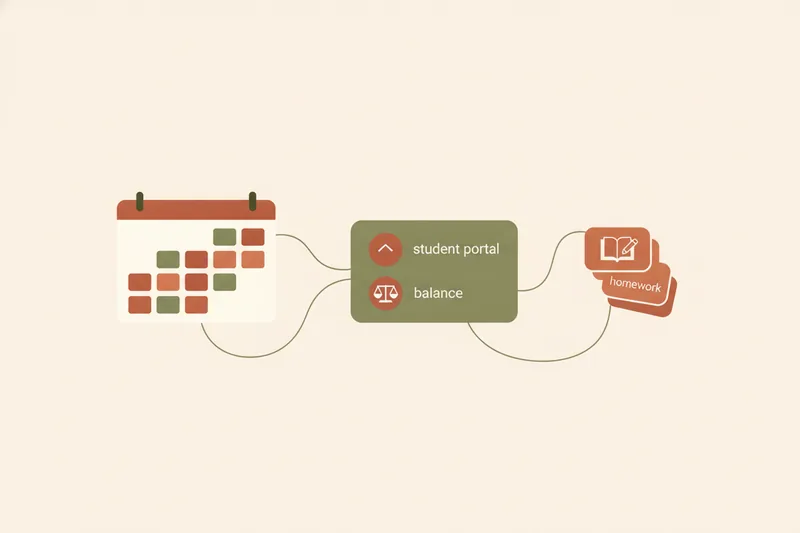
| Purpose-built teaching platforms | Student requests the change, teacher confirms it | Dedicated student portal | Running balance drawn down lesson by lesson |
That last row is a category rather than a single product, and it works differently enough to describe on its own. A teaching-specific platform's calendar typically folds lessons, open booking windows and related notes onto one grid for the teacher, and warns before letting two lessons collide in the same slot — useful once a teacher is juggling several students across time zones. A confirmed lesson tends to appear on both the teacher's and the student's side at once. Calendar sync in this category is usually a one-way subscription link into Google, Apple or Outlook rather than two-way editing — good for checking a schedule from a personal calendar app, not for editing it there.
Free vs paid plans for independent tutors
How a plan is priced depends on the shape of the business as much as on its feature list. A well-known scheduling tool for tutoring businesses prices its plans by the number of tutors or staff using the platform, not by the number of active students — worth checking on any shortlist, since the same roster can cost very differently depending on which number a plan counts.
It also matters which business model a reader is actually running: independent, marketplace, subscription, or some hybrid of the three. A managed marketplace such as Varsity Tutors matches students with tutors and sets the prices itself — a different model, where scheduling software is almost beside the point since the platform runs the calendar, not the teacher. An independent tutor or small teaching business is the one actually shopping for scheduling software, and a free plan is usually scoped to a single calendar with a cap on bookings or students — enough to test a workflow, rarely enough to run an exam-prep course load with several groups and parents checking progress. Specialist and exam-prep tutoring rates vary widely by experience, so what a paid tier costs is worth weighing against a teacher's own per-lesson rate, not a flat monthly number in isolation. Before committing to a paid plan, it's worth checking whether a tool lets you trial the whole workflow on a sample, or trial student, loaded with example lessons and homework that doesn't count toward the plan's limit.
Which option suits which kind of teacher
A solo tutor running one-to-one lessons is usually best served by Setmore or YouCanBookMe: a single calendar, simple pricing, and no need for group or package logic yet.
A teacher running small groups needs reliable recurring series — daily, weekly, every two weeks or on custom dates — since a group runs on a fixed cadence that a one-off booking tool struggles to maintain cleanly. Zoho Bookings' wider ecosystem helps if the business already leans on other Zoho tools for admin, and some teaching-specific platforms let a teacher theme the whole student-facing side to match their own branding, which a generic booking widget doesn't usually match.
An exam-prep instructor cares more about progress visibility for students and parents than about booking mechanics — Noto's positioning toward structured, recurring teaching fits that better than a generic booking page. Being able to set whether lesson materials stay open to review or are only reachable in a window around the lesson also matters when a parent checks in outside class time.
For a teacher running several students across packages and balances, a platform built specifically for lesson delivery tends to go furthest on that need — something a generic salon-style booking tool wasn't built to represent.
Where each pick falls short
The named general-purpose tools — Setmore, Calendesk, Zoho Bookings, Bookeo, Momence, YouCanBookMe — handle booking and reminders well but still leave packages, balances and per-lesson materials to spreadsheets or chat threads. Noto gets closer to teaching structure but stays shaped around whole schools rather than an independent tutor's own roster.
Teaching-specific platforms, for their part, don't process payments at all — a teacher still gets paid directly by the student and records it, rather than the platform moving money or taking a commission — and access tends to be onboarded rather than an instant self-serve signup, which suits someone setting up a practice properly more than someone testing a free tier in five minutes.
If a teaching-specific option fits how a reader actually teaches, it's worth looking into platforms built around lesson scheduling, packages and materials rather than adapted from general appointment booking — workspace tools such as Umvelo sit in that category, built for scheduling, package balances and lesson-linked materials rather than retrofitted from a salon-booking model.