Academy App for Language Tutors | Umvelo
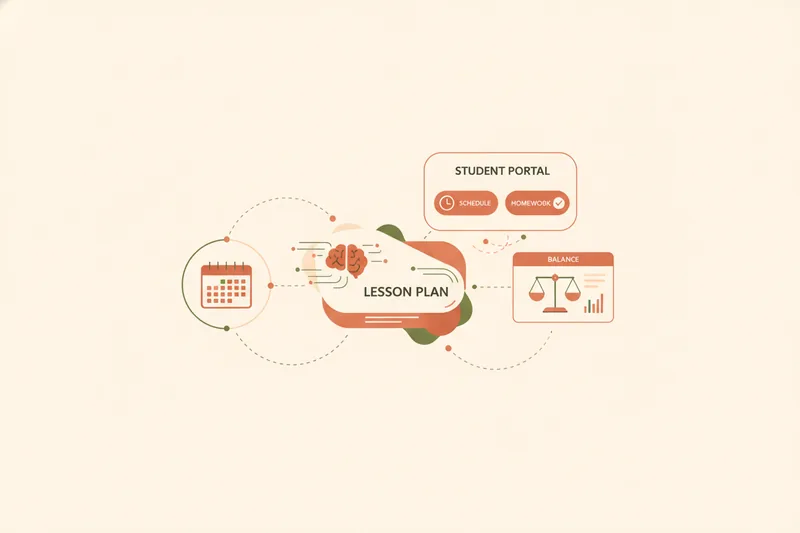
Type "app academy" or "academy app" into a search bar and you'll mostly get coding bootcamps and karate studios. That's not a glitch — it's just that language tutors have never had a clean name for the tool they're actually looking for: an academy app is a single piece of software that links lesson scheduling, lesson-package balances, and teaching materials for one tutor or small teaching business, replacing the spreadsheet-plus-chat-thread setup most independent teachers start with. This guide explains what that category actually contains, how it differs from stitching together a calendar, a spreadsheet, and WhatsApp, and how to judge whether a given tool is built well — using Umvelo's own model as the concrete example throughout.
What Is an Academy App (and Why Tutors Start Searching for One)
Most tutors don't go looking for an "academy app" until the manual system starts costing them something. A typical setup looks like this: lessons live in a calendar app, payments live in a spreadsheet (or a mental tally), and everything else — reschedule requests, homework links, "did you get my payment?" — lives in scattered WhatsApp or Telegram chat threads. Each piece works fine on its own. The problem is that none of them talk to each other, so the tutor becomes the sync layer, manually copying a reschedule from a chat message into a calendar, or scrolling back through weeks of messages to confirm whether a student's package is actually paid.

An academy app exists to remove that manual syncing. Instead of scheduling, payments, and materials living in separate tools, they live in one workspace where updating a lesson's status also updates the balance and surfaces the right materials — without a human relaying the change across three apps. That's the whole premise of the category: not more features, just fewer disconnected places for the same information to live. Umvelo was built specifically around that idea, keeping scheduling, lesson-package balances, and materials linked in one place instead of split across a calendar and a spreadsheet.
The Core Building Blocks of a Teaching Academy App
Strip away the branding and every serious academy app is built from the same small set of capabilities. If a tool is missing one of these, it's a scheduler or a payment tracker wearing an "academy app" label — not the real thing.
Scheduling and rescheduling lessons
This is the calendar layer, but with the tutor's actual workflow in mind: recurring one-to-one slots, group sessions, and — critically — a proper reschedule flow. A student requesting a new time shouldn't mean a message that the tutor has to manually re-enter into their calendar; it should be a request the tutor accepts, with both sides seeing the updated schedule automatically.
Tracking lesson package balances (a ledger, not a payment processor)
Most tutors sell lessons in packages — five lessons, ten lessons — rather than billing per session. An academy app needs a ledger: a running record of how many lessons were paid for, how many are planned against that package, and how many remain. This is bookkeeping, not banking. A ledger tracks what's owed and what's used; it doesn't move money. Alongside the balance, the app should keep receipts and charge history so a tutor can answer "did they pay for this?" in seconds instead of scrolling chat history.
Attaching materials and homework to specific lessons
Materials that float around in a shared folder or a chat thread get lost or sent to the wrong student. In a proper academy app, a worksheet or homework link is attached to the specific lesson it belongs to, so it's always findable in context — this lesson, this homework, this student.
A student-facing portal for schedule, balance, and grades
The tutor isn't the only user. Students need a place to see their own upcoming lessons, their remaining balance, and their grades or feedback — a student portal — without asking the tutor to repeat the same information over Telegram every week.
Academy App vs. Spreadsheets and Scattered Tools: What Actually Changes
The features above sound reasonable in isolation; the real difference shows up in what stops happening once they're linked rather than separate.
With spreadsheets and chat threads, the failure mode is always the same: manual tracking errors. A tutor forgets to update a cell after a payment, marks a lesson as taken when it was actually rescheduled, or loses track of which package a payment belonged to after a student pauses lessons for a month. None of this is a character flaw — it's what happens when the same fact (this lesson happened, this payment covers it) has to be entered by hand in two or three places instead of one. On top of that sits the back-and-forth in chat threads: "did you get my transfer?", "can we move Thursday?", "which homework was for me?" — questions that are only questions because the information isn't visible anywhere both sides can check it.
A linked system removes the duplicate entry, not the payment itself. When a lesson is marked complete, the balance reflects it. When a student reschedules, the calendar updates for both sides without a separate message needing to be sent and remembered. This is also where no commission matters as a structural choice, not a marketing line: students pay the teacher directly, and the app's job is limited to tracking what was paid, planned, and used — never processing or holding the money. That keeps the tutor in charge of their own payment relationships while still getting an accurate, shared record of where every package stands.
How an Academy App Fits Different Teaching Setups
The same building blocks apply differently depending on how a tutor actually teaches.
For one-to-one online or in-person tutoring, the priority is usually a clean reschedule flow and an accurate running balance per student — few students, but each one needs their own package tracked precisely.
For small groups, the same lesson often needs to serve several students with different balances and different homework needs, so materials have to be assignable at the lesson level while balances stay tracked per individual student.
For exam prep — IELTS, TOEFL, Cambridge — the stakes are different again. Structured lesson plans and visibility into progress matter as much as scheduling, because students and often their parents want to see how preparation is tracking over weeks, not just what's due next.
Across all three setups, one detail matters more than it first appears: materials visibility should be restricted to the intended students. A worksheet built for one group or one exam-prep student shouldn't be visible to everyone with portal access — it should only reach the people it was assigned to.
Beyond the Basics: Booking Channels and Getting Found
Once scheduling, balances, and materials are linked, two more practical questions come up: how do students actually interact day to day, and how does a tutor get new students in the first place?
For daily interaction, many tutors' students already live in Telegram, so a Telegram bot integration lets students check their schedule, view materials, see their balance, and send booking or reschedule requests without opening a separate portal — the tutor connects their own bot, and requests flow into the same linked system rather than a chat log that has to be manually checked.
For getting found, some tutors need more than word of mouth: a personal mini-site on a subdomain (for example, you.umvelo.com), built from ready-made blocks, gives a tutor a page to point prospective students to, with sign-in and request submission built in, so new inquiries land as structured requests rather than one more message in an already-crowded inbox.
How to Choose the Right Academy App: A Checklist
Whether you're looking at Umvelo or comparing several tools, the same questions separate a well-built academy app from a feature list:
- Does it track balances without holding money? The app should function as a ledger — recording paid, planned, and available lessons — while leaving the actual payment between tutor and student.
- Can materials be scoped per student or group? A worksheet or homework file should only be visible to the students it was assigned to, not the whole roster.
- Does it support a lessons-only mode? Not every tutor wants to track amounts at all — a genuine academy app should let scheduling and materials work with no financial tracking layered on top.
- What's the onboarding and access process? Some tools are self-serve sign-up; others, like Umvelo, are request-based, with a manager onboarding each tutor rather than leaving setup entirely self-guided. Neither is wrong, but it changes what to expect on day one.
- Does rescheduling update both sides automatically, or does it still rely on a message that someone has to act on manually?
FAQ: Academy Apps for Language Teachers
Does the app process payments? No, not in Umvelo's model. Students pay the teacher directly, and the platform only tracks what's paid, planned, and available — it doesn't move or hold money.
Can students reschedule themselves? Students can send a reschedule request from their portal (or via Telegram, where connected), and the tutor accepts it, keeping the calendar in sync for both sides rather than relying on a chat message being manually applied.
Is there a free or lessons-only option? Yes — a lessons-only mode exists for tutors who want scheduling and materials linked without tracking any amounts at all, useful for free trial lessons or tutors who bill separately.
How does onboarding work? Access isn't self-serve. A tutor requests access and is onboarded by a manager who helps set up the schedule, packages, and portal — rather than being handed a blank dashboard.
If your current setup is a calendar, a spreadsheet, and a chat thread doing the work of three people, request access to Umvelo and get onboarded by a manager to set up your own linked scheduling, balance, and materials workspace.