Tutor Invoice Template: Bill Clients Right
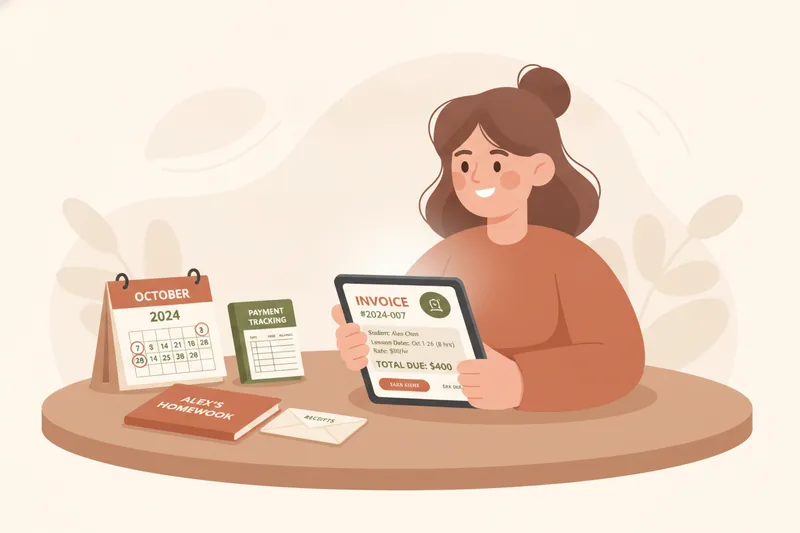
A tutoring invoice needs six things to be usable: a unique invoice number and due date, your contact and business details, the client's billing information, a clear breakdown of lesson hours and rate, any extra charges like materials or late cancellations, and a note on how and where to pay. Below is a free, editable tutor invoice template in four formats, plus the exact process for using it — and the point at which most tutors outgrow it. That point arrives sooner than people expect: the moment you sell lesson packages instead of single sessions, a flat invoice stops telling you what's actually paid, used, or left. That's the gap Umvelo was built to close, tracking the running ledger behind the invoice rather than replacing the invoice itself.
What to Include on a Tutoring Invoice
A tutor invoice is the document you send a student or parent to request payment for lessons delivered or scheduled. To hold up if a client questions a charge — or if you need it for your own tax records — it should include:
- Invoice number and due date — sequential numbering (INV-0012, INV-0013) makes it easy to track what's been paid and what hasn't, and a due date sets a clear payment expectation instead of an implied "whenever."
- Tutor business/contact details — your name or business name, email, phone, and address if you invoice for tax purposes.
- Student/client billing info — the paying party's name and contact details. For minors, this is usually the parent, not the student.
- Lesson hours/rate breakdown — dates, duration, and your hourly rate per session, or the package rate if billing in bulk.
- Materials fees — a separate line for anything beyond lesson time: printed workbooks, exam-prep guides, or licensed course materials.
- Cancellation/late fees — your stated policy (e.g., a fee for cancellations inside 24 hours) applied as its own line, not buried in the lesson total.
- Payment methods — bank transfer, PayPal, cash, or whatever you accept, stated plainly so there's no back-and-forth.
- Receipts and payment confirmation — a note or attached receipt once payment is received, so both sides have a record.
Leaving any of these off doesn't just look unprofessional — it's usually the reason a payment gets delayed while the client asks you to clarify what they're actually paying for.
Hourly vs. Package Billing: Two Ways to Charge for Lessons
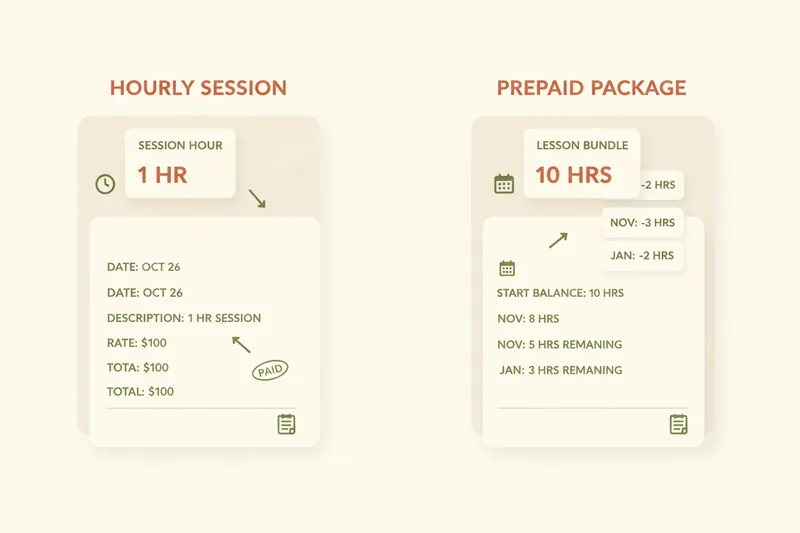
Most tutors bill one of two ways, and it's worth deciding which before you build your invoice, because the template layout differs.
Hourly billing charges a per-session rate for lessons as they happen — you invoice for hours actually delivered, typically after the fact. It's simple and flexible, well suited to trial lessons or students with irregular schedules.
Lesson package billing sells a prepaid lesson bundle — say, 10 lessons for a fixed price — invoiced once, upfront. Students commit to a block, often at a small discount versus the hourly rate, and draw down lessons from it over the following weeks. This is common for exam-prep courses and long-term students, since it reduces last-minute cancellations and gives the tutor predictable income.
The catch: hourly invoices are self-contained (each one stands alone), while package invoices open a running balance you now have to track across multiple lessons — a problem the template alone doesn't solve, which we'll come back to.
Free Tutoring Invoice Template (Download)
The invoice template below covers both billing models and is available in four formats so you can use whatever you already work in:
- PDF — for sending a finished, non-editable invoice straight to a client.
- Word — for tutors who prefer to edit the layout, logo, and wording directly.
- Excel — includes basic formulas so hours × rate calculates automatically, useful once you're billing several students a week.
- Google Sheets — the same layout, cloud-based, easy to duplicate per student and keep as a running log.
Each version has fields for invoice number, due date, your details, client details, an hours/rate table, a materials fee line, a cancellation fee line, and a payment methods footer — matching the components above one for one, so you're not guessing what to add.
How to Invoice Tutoring Clients Step-by-Step
Here's the actual process, not just the template.
Invoicing a new one-to-one student
- Log lesson hours — note the date and duration right after each session, or use a running log for the week rather than trying to reconstruct it later.
- Fill in the template — one line per lesson (or one line for the package total), plus any materials or cancellation fees.
- Send the invoice — email it as a PDF with a clear due date, ideally within a day or two of the lesson or agreed billing point, while the session is still fresh for the client.
- Confirm payment — once paid, mark the invoice paid on your copy and send a short confirmation or receipt back. This is the step most tutors skip, and it's the one that prevents "did I already pay you?" messages three weeks later.
Invoicing for exam-prep or recurring lessons
Exam-prep students (IELTS, TOEFL, Cambridge) tend to book in blocks tied to a course structure rather than ad hoc sessions. Invoice the full package upfront rather than per lesson, and keep a separate note — even a simple column — of which sessions in that block have actually happened versus which are still scheduled. Parents paying for a recurring weekly slot appreciate a monthly summary invoice rather than four separate ones; it's fewer emails for them and less admin for you.
When and How Often to Bill Students
Billing frequency should match how you sell lessons, not just habit:
- Weekly invoicing suits hourly clients with irregular schedules — you invoice for what happened that week.
- Monthly invoicing suits steady, recurring students — one invoice covering four or five sessions is less friction for both sides.
- Package renewal timing matters for prepaid bundles: invoice the next package before the current one runs out, not after, or you'll end up teaching lessons you haven't yet been paid for.
On bill-in-advance vs. bill-after-lesson: billing in advance (especially for packages) protects your cash flow and discourages no-shows, since the student has already paid. Billing after the lesson works fine for trial sessions or one-off tutoring where trust is still being established.
Tutoring Invoice Examples: Hourly vs. Package
Hourly invoice example — a Tuesday/Thursday student, 1-hour sessions at $35/hour:
| Date | Description | Hours | Rate | Amount |
|---|---|---|---|---|
| Mar 4 | English conversation lesson | 1 | $35 | $35 |
| Mar 6 | English conversation lesson | 1 | $35 | $35 |
| — | Cancellation fee (less than 24h notice) | — | — | $15 |
| Total | $85 |
Lesson package invoice example — a 10-lesson IELTS prep bundle:
| Description | Qty | Rate | Amount |
|---|---|---|---|
| 10-lesson IELTS package (60 min each) | 10 | $32/lesson | $320 |
| IELTS practice materials pack | 1 | $25 | $25 |
| Total | $345 |
If you tutor both online and in person, price the two separately rather than using one flat rate: online sessions commonly run 10–25% cheaper than in-person lessons across experience levels, and listing a single rate on your invoice for both can undercharge one group or overcharge the other.
How to Handle Late or Missed Payments
Late payment is less about confrontation and more about having a system so you don't have to improvise each time:
- Late payment reminders — send one at the due date, a second a week later, both short and unemotional ("Just flagging invoice #0014 is now a week overdue — let me know if you need it resent.").
- Missed lesson payment — if a package student runs out of paid lessons but keeps booking, pause new bookings until the next package is invoiced and paid; continuing to teach on trust is how balances quietly go negative.
- Outstanding balance — keep a simple running total per student so you can see at a glance who owes what, rather than searching old invoices.
- Confirming receipts — always acknowledge payment in writing, even a one-line email. It closes the loop and gives you a record if a dispute ever comes up.
Why a Template Stops Being Enough Once You Sell Lesson Packages
A spreadsheet or PDF template works fine while you're invoicing one lesson at a time. It starts to break down once you're running lesson packages across several students, because a lesson package balance isn't a single number — it's three moving parts: paid, planned, and available. A student might have paid for 10 lessons, have 4 already scheduled, and 6 still free to book. A static invoice captures the payment; it says nothing about what's been used since.
This is the actual difference between an invoice template and dedicated tutoring management software, as opposed to a marketplace that just connects tutors with students: a template documents a transaction, a lesson ledger tracks the balance over time. In that kind of system, paid/planned/available lessons update automatically as lessons happen and packages get topped up, so you're not cross-referencing three spreadsheets to answer "has this student paid for the lesson we just booked?"
Receipts fit into that same ledger rather than sitting in a separate folder: the student marks a payment and attaches the receipt on their side, the teacher confirms it, and the balance updates immediately — no re-entering numbers by hand. Crucially, this stays a no commission arrangement: the platform tracks who owes what and what's been paid, but the student pays the teacher directly, the same way they always have. Nothing routes through a third party, and no percentage gets taken off the top.
For tutors managing several students with packages, materials tied to specific lessons, and a student portal for schedule and balance — some with a Telegram bot layered on so students can book or check their balance without opening a new app — this ledger view is what actually replaces the spreadsheet, not another invoice format.
FAQs About Tutor Invoicing
How much should I charge on an invoice? Charge your standard hourly or package rate, plus any agreed materials or cancellation fees — never round up or add charges the student hasn't agreed to in advance. Rates vary widely by subject, experience, and format (online vs. in-person), so anchor yours to what you've already communicated, not a market average.
Do tutors need to charge tax? That depends on your country, income level, and whether you're registered as self-employed or a business — rules differ enough that it's worth checking with a local accountant rather than guessing. What you can control is documentation: keep every invoice and receipt, since that record is what tax filing depends on.
Should I invoice parents or the adult student directly? Invoice whoever is actually paying. For minors, that's almost always a parent — use their name and contact details as the billing info, even if lesson notes reference the student. For adult students, invoice them directly unless they've told you otherwise.
Digital or paper invoices? Digital, in nearly every case — it's faster to send, easier to search later, and simpler to attach a receipt to. Some tutoring tools now bundle invoicing with a student-facing portal for viewing assignments and progress, not just payment history, which is worth considering if you're already managing packages across multiple students.
Download the free tutoring invoice template above to get your billing in order today. When you're ready to stop tracking paid, planned, and remaining lessons by hand, Umvelo does that automatically alongside receipts and confirmations — with no commission on what students pay you. Request access to try it with your students.