Tutoring Flyer Design: Book Lessons, Not Just Calls
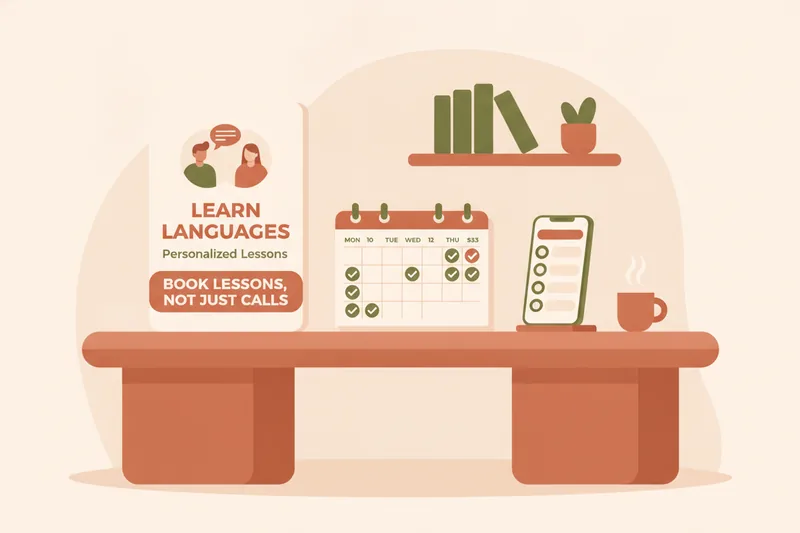
A tutoring flyer only does its job if it turns a glance into a booking, not just a phone screenshot. Most flyer advice online stops at fonts and colors, leaving you with a nice-looking page and a stack of unanswered texts. This guide covers the design and pricing decisions that make a flyer credible, plus the one thing most guides skip: giving the person reading it a direct way to book a lesson, so a flyer response becomes a scheduled, trackable lesson instead of another back-and-forth thread.
What a Tutoring Flyer Needs to Do
A tutor flyer template — the pre-built layout you customize in a design tool — is only a starting point. The real purpose of a tutoring flyer is to move a stranger through three steps: notice it, trust you, and act on it within seconds. If any step is missing, the flyer fails even if it's beautifully designed.
That third step is where most flyers break down. They list a phone number or an email, and the person reading it has to decide what to say, when to say it, and then wait for a reply to figure out timing and price. This is the flyer-to-booking gap: the distance between "I'm interested" and "I have a lesson on my calendar." Every design choice below should shrink that gap. This is also where a platform like Umvelo earns its keep for teachers — instead of a flyer ending in a bare phone number, it can end in a link that opens a real schedule, so the reply becomes a booked, trackable lesson rather than a loose promise to "text me."
What to Include on a Tutoring Flyer
Before layout or color, get the content right. Every effective tutoring flyer needs these elements:
- Contact info — phone, email, and a single primary way to reach you (pick one to feature largest; don't force a choice between three channels).
- Subjects taught — be specific. "English tutor" is vague; "English tutor for IELTS and Cambridge exam prep" tells a parent or adult learner exactly why you're relevant to them.
- Tutoring rates — even a range ("$25–$35/hour" or "packages from $120") filters out mismatched inquiries before they start.
- Testimonials or credentials — one short quote from a real student, or a certification/degree line, does more for trust than a paragraph of self-description.
- A QR code for booking — a scannable code that opens a booking page directly from a printed flyer.
- A student portal or booking link — the page behind that QR code, where someone can actually see open times.
Language-tutor specifics: exam prep, 1:1 vs group lessons
Language tutoring flyers need one more layer of clarity: format and goal. State whether you teach one-to-one or small groups (parents and adult learners often have a strong preference), and separate conversational/general language learners from exam prep students — IELTS, TOEFL, or Cambridge candidates are looking for structured lesson plans and measurable progress, not casual conversation practice. A flyer that says "Conversational Spanish, 1:1" or "IELTS prep, small groups of 3" gets faster replies than "Spanish lessons."
Design Tips for an Effective Tutoring Flyer
Once the content is decided, design is about removing friction, not adding polish. Keep these principles in mind:
- One focal point. Your headline (subject + audience, e.g. "French Tutoring for Teens") should be readable from across a room or in a thumbnail.
- Readable hierarchy. Rates, contact info, and the QR code should be visually separated with whitespace, not crammed into a footer.
- Limit fonts and colors. Two fonts, two accent colors — anything more looks amateur rather than professional.
- Leave room for the QR code. Reserve a clean, high-contrast corner so it scans reliably at flyer size, both printed and on a phone screen.
Free Tutoring Flyer Templates & Examples
You don't need design software to start. Canva and Adobe Express both offer free tutoring flyer templates searchable by "tutor flyer" or "tutoring services," with drag-and-drop editing for photos, text, and QR codes. Start from a template, then strip anything that isn't contact info, subjects, rates, or a credential — templates tend to include decorative sections that add clutter without adding conversions.
Catchy Phrases and Slogans for Tutoring Flyers
A slogan earns its place only if it tells the reader something a plain subject line doesn't. A few formulas that work for language tutoring:
- Outcome-led: "Speak Spanish with confidence in 3 months" — names the result, not the process.
- Audience-led: "English for busy professionals, evenings and weekends" — filters for the reader's schedule.
- Exam-led: "IELTS Band 7+, guided step by step" — signals a concrete target score.
- Reassurance-led: "First lesson, no pressure" — lowers the barrier for someone who's never worked with a tutor.
Avoid generic lines like "Learn a new language today" — they say nothing a competitor's flyer doesn't also claim.
How to Advertise Yourself as a Tutor
A flyer works best as one piece of a small, repeated presence rather than a one-time drop. Combine:
- Physical boards: libraries, community centers, language schools, university notice boards, cafés near your target audience.
- Social media: post the same flyer design as an image on local Facebook groups, neighborhood apps, and Instagram, where parents and adult learners already search for recommendations.
- Word of mouth: ask current students to share your booking link, not just your name — a link is easy to forward, a name isn't.
- Online listings: tutor marketplaces (where students browse and choose from many tutors) are one channel, but they're a different model from tutoring management software that you run yourself; the flyer-plus-link approach works alongside either.
Whichever channels you use, keep the printed flyer and the digital post consistent: same headline, same rates, same booking link or QR code, so a student who sees it twice recognizes it instantly.
How Much Should You Charge? Setting Your Tutoring Rates
Rates depend on your language, experience, exam specialization, and location, but one consistent pattern holds: online tutoring sessions typically cost 10–25% less than in-person tutoring at a comparable experience level. If you teach both formats, price them differently on the flyer rather than using one blended rate — a single number either overprices your online lessons or underprices your in-person ones.
Once a rate is set, most tutors sell lesson packages — a bundle of lessons paid upfront — rather than charging per session. Packages reduce no-shows and give students a reason to commit past a trial lesson. But a package only works if someone is tracking what's been paid, what's been used, and what's left; without that, packages create more admin than they save. This is precisely the gap a ledger view of paid, planned, and available lessons is built to close, so the price on your flyer maps directly to a balance you can both see.
From Flyer to Booked Lesson: Give Students a Way to Request You
This is the step that separates a flyer that gets replies from one that gets bookings. Instead of ending with "call or text me," end with a QR code for booking or a short link that opens a real page where someone can see your open slots and request a time.
Behind that link should be a student portal or booking link — behind the scenes, this is often part of tutoring management software rather than a marketplace listing. Student-facing portals are a recognized feature in this category: some tutoring tools, for instance, give students a login where they can view assignments and track progress rather than only handling billing for the teacher. For a language tutor, a well-built portal does more: it shows the student their schedule, remaining lesson balance, and materials in one place, so a flyer response turns into an actual booked lesson without a single manual message.
Two other flyer-ready options worth pairing with a booking link:
- A personal mini-site on a subdomain (e.g., you.yourplatform.com) gives you a single page to point the QR code to — one that shows your subjects, rates, and a request form, built from ready-made blocks rather than a custom website.
- A Telegram bot lets students book, reschedule, or ask a quick question directly inside a chat app they already use, which is often less friction than a phone call for younger or busier students.
Either way, the flyer's job ends the moment someone scans the code — everything after that (confirming the time, tracking the balance, sending materials) should happen in one connected system rather than a scattered mix of texts and spreadsheets.
Tutoring Flyer FAQ
How much should I charge on my tutoring flyer? Show a range or starting rate rather than omitting price entirely. Base it on your format (online vs. in-person, since online typically runs 10–25% less), your subject specialization, and local competitor rates. A visible rate filters out mismatched inquiries before they reach you.
What should I put on a tutoring flyer? At minimum: your subjects (naming exam prep like IELTS/TOEFL/Cambridge if relevant), rates, one testimonial or credential, contact info, and a QR code or link to book a lesson. Skip anything that doesn't move the reader toward booking.
Where should I post a tutoring flyer? Post it in both physical spaces (libraries, schools, community boards) and digital ones (local social media groups, your own social profiles), using the same booking link or QR code everywhere for consistency.
How do I avoid no-shows and last-minute reschedules? Selling lesson packages instead of single sessions reduces no-shows because students have already committed. Pairing that with a system where students can reschedule themselves — and you can see the change reflected on your calendar immediately — cuts down on the back-and-forth that causes missed lessons in the first place.
Ready to turn flyer replies into booked lessons? Request access to Umvelo and set up your booking link today.