Lesson Scheduling Tool for Freelance Teachers
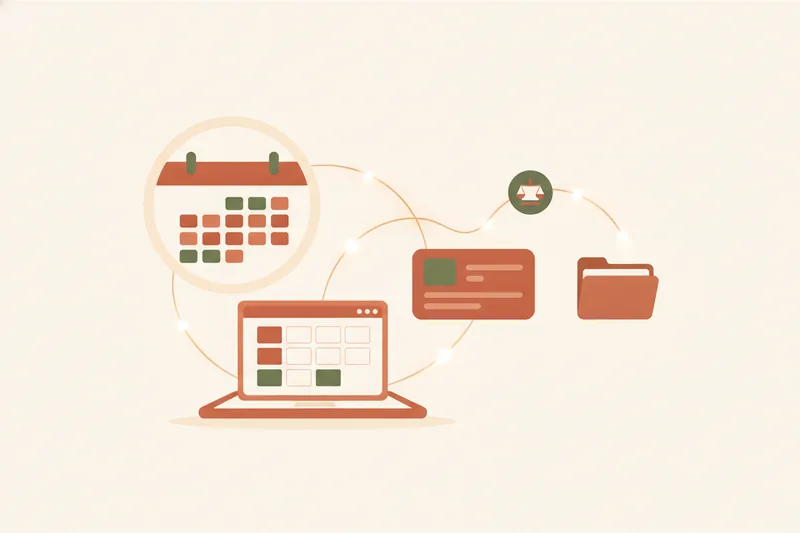
Freelance language teachers don't need another appointment calendar — they need a system that keeps a lesson booking, its package balance, and its homework attached to each other. A lesson scheduling tool for freelance teachers is software built around that link: it should let a student book or reschedule a lesson, show what's paid and what's left in their package, and surface the right materials for that specific session, all without the teacher reopening a spreadsheet. Generic appointment schedulers handle the first part well; they're built for one-off slots like haircuts or consultations, not for a student working through a 10-lesson package with homework due between sessions.
What Is a Lesson Scheduling Tool for Freelance Teachers?
At its core, this category still includes the basics of any booking system: an online booking page where students pick a slot, and automated reminders that cut down on no-shows. What separates it from generic appointment scheduling is what happens after the booking — lesson package tracking, so a teacher and student both know how many lessons remain, and materials tied to that exact lesson rather than a shared folder link.
Some overviews of the online tutoring market split platforms into just two buckets — tutor marketplaces (where students find any available tutor) and online course platforms (pre-recorded content sold to many learners) — which leaves out a third, quieter category entirely: software built for a freelance teacher who already has their own students and just needs scheduling, balances, and materials to stop living in separate apps. That's the gap tools like Umvelo sit in, and it's why comparing them against Calendly or Setmore on booking-page features alone misses the point.
Key Features to Look For in Scheduling Software for Tutors
Before comparing named products, it helps to fix the feature set that actually matters for lesson-based teaching, not appointment-based businesses.
Booking pages and calendar sync
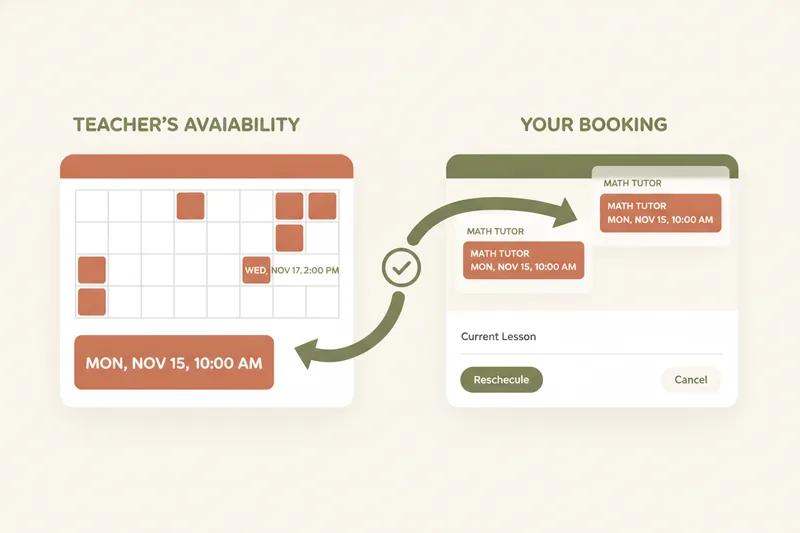
An online booking page should sync both ways — a student who books, cancels, or asks to move a lesson shouldn't create a calendar mismatch the teacher has to fix manually. Rescheduling is where most generic tools fall short, since they're designed for a client booking a single slot, not a recurring student relationship.
Automated reminders
Automated reminders reduce missed lessons, but for a tutoring practice they need to reflect lesson-specific context — which package the student is drawing from, whether the session is a make-up lesson, and what materials to bring — not a generic "you have an appointment" notice.
Package and balance visibility
Payment tracking in a teaching context isn't about processing a card payment; it's about knowing, at a glance, how many lessons a student has paid for, used, and has left, plus whether materials attached to lessons are visible to the right student and no one else.
Lesson Package Tracking vs Payment Processing: Why the Difference Matters
Most booking tools that mention "payments" mean they process the transaction — the student pays through the platform, and the platform takes a cut. Tools like SuperSaaS and AppointmentQuest built payment collection into their booking flow, which is convenient if a teacher wants everything handled in one card transaction, but it comes with a commission on every payment.
Lesson package tracking is a different model: a ledger that records what's paid, planned, and available without moving any money. The student pays the teacher directly — bank transfer, cash, whatever they've agreed — then marks the payment and attaches a receipt in the portal; the teacher confirms it, and the ledger updates. Nothing about the transaction itself passes through the platform, which is the basis of no-commission tracking: the teacher keeps 100% of what the student pays, and the software's job is bookkeeping, not payment infrastructure. For a freelance teacher running dozens of packages across students, that distinction is worth more over a year than any booking-page template.
Two-Sided Rescheduling: Beyond a Basic Booking Page
A booking page that only lets a student pick an open slot is half a system. The harder, more common problem is what happens after the lesson is booked: the student gets sick, has a work conflict, or simply needs to move a session. A proper reschedule request flow lets the student propose a new time from their own student portal, and the teacher reviews it and uses a single accept action — no back-and-forth in chat, no manually updating two calendars. Done well, this keeps calendar sync intact on both sides automatically. Where Telegram bot integration comes in is convenience: a student can send a reschedule or booking request directly inside a chat they already check daily, instead of opening a separate app, and it lands in the same system the teacher manages everything else from.
Best Scheduling Tools for Freelance Teachers Compared
- Calendly — a strong general-purpose online booking page with solid calendar sync, but no concept of lesson packages, balances, or student-specific materials. Built for meetings, not recurring lesson relationships.
- Acuity Scheduling — more configurable than Calendly for service businesses, with package/class options, but payment handling assumes processing through the platform rather than ledger-style tracking of direct payments.
- Setmore — free-tier friendly booking and reminders, aimed at appointment-based small businesses; lacks lesson-specific structure like homework or grades.
- SuperSaaS — flexible scheduling rules and payment processing through third-party providers, useful for classes and resource booking, without SuperSaaS itself charging a commission on top of the payment provider's costs, though it lacks free-form receipt-based ledger tracking of direct payments.
- Koalendar — a lightweight, Calendly-style booking page; good for simple one-slot bookings, not built for ongoing package tracking.
- Music Teacher's Helper — one of the few tools built for teaching specifically, with billing and scheduling for private lessons, plus a student-facing portal where students can log in to see the week's assignments and log their practice time.
- Umvelo — combines an online booking page with lesson package tracking on a ledger, a student portal, Telegram bot integration, and materials/homework attached per lesson, with no commission on what students pay directly.
Best App for Lesson Planning vs Scheduling: Do You Need Both?
Scheduling answers "when." Lesson planning and delivery answer "what happens in the lesson." A pure scheduler like Calendly or Koalendar has nothing to say about materials and homework per lesson — a teacher still needs a separate folder, doc, or app to hand the right file to the right student before or after a session.
The alternative is a platform where the student portal shows grades and notifications alongside schedule and balance, so a student logs in once to see everything relevant to them. Some platforms go further with an in-lesson builder and a whiteboard, letting a teacher build the lesson from reusable blocks, run it live, and watch student answers in real time — closer to a teaching environment than a booking form. Whether a freelance teacher needs both scheduling and lesson delivery in one place, or is happy stitching two tools together, depends on how much time is currently lost moving between a calendar app, a materials folder, and a messaging thread just to run one lesson.
Free vs Paid Scheduling Tools: What You Actually Need
Many "free scheduling tool" options exist because the business model is elsewhere — often commission-based free tiers, where the tool is free to use but takes a cut once payments start flowing through it. That's fine for a teacher with no packages to track, but it becomes an ongoing cost the more lessons a teacher books.
A lessons only mode — scheduling without tracking any amounts — is a reasonable middle ground for a teacher who isn't ready to manage packages digitally yet, or who bills separately outside the platform. It's not the same as a commission-based free tier: nothing is deducted because nothing is processed. Moving to paid plans later, once package tracking and materials matter, should feel like an upgrade in capability, not a forced move to unlock features that were artificially withheld.
How to Choose the Right Tool for One-on-One, Group, or Exam-Prep Lessons
For one-to-one lessons, the priority is a clean loop between booking, package balance, and homework — a student should never have to ask "how many lessons do I have left?"
For small groups, look for scheduling that handles shared time slots without double-booking, plus materials that can be assigned to a whole group at once rather than copied per student.
For exam prep — IELTS, TOEFL, Cambridge — structure matters more: a teacher needs lesson plans that build toward a target date, with progress visible to both student and, often, a parent checking in on grades.
Across all three, a personal mini-site — a simple page a teacher can share to collect student requests — matters for anyone trying to grow beyond referrals, letting new students find and message a teacher directly instead of relying on a marketplace listing.
FAQ: Scheduling Software for Freelance Teachers
What's the best scheduling software for tutors? There's no single answer — it depends on whether a teacher only needs a booking page (Calendly, Koalendar) or needs booking tied to package balances and materials (Umvelo, Music Teacher's Helper). Match the tool to whether lesson packages are part of the business, not just the calendar.
What's the best app for online tutors? Look for one that covers scheduling, a student portal, and reschedule handling in one place, rather than a booking page plus a separate messaging app plus a separate materials folder.
Are there free scheduling tools for teachers? Yes, but most free tiers are subsidized by commission on payments once processing is involved. A lessons only mode — no payment tracking at all — is a genuinely free-adjacent option for teachers not ready to track packages digitally.
What does no-commission payment tracking actually mean? It means the software records what's paid, planned, and available in a ledger, using student-submitted receipts, without ever moving the money itself — so a teacher keeps everything a student pays them directly.
If spreadsheets, chat threads, and a generic calendar are still where your bookings, balances, and homework live separately, it's worth consolidating them. Request access to Umvelo and get onboarded by a manager to set up your first scheduling, package tracking, and student portal in one calm workspace.